Documentation Index
Fetch the complete documentation index at: https://docs2.zenskar.com/llms.txt
Use this file to discover all available pages before exploring further.
🐕🦺 Configuration/User Guide
Avalara AvaTax is a cloud-based solution automating transaction tax calculations and the tax filing process. Avalara provides real-time tax calculation using tax content from more than 12,000 US taxing jurisdictions and over 200 countries, insuring your transaction tax is calculated based on the most current tax rules.🔗 Connect to AvaTax
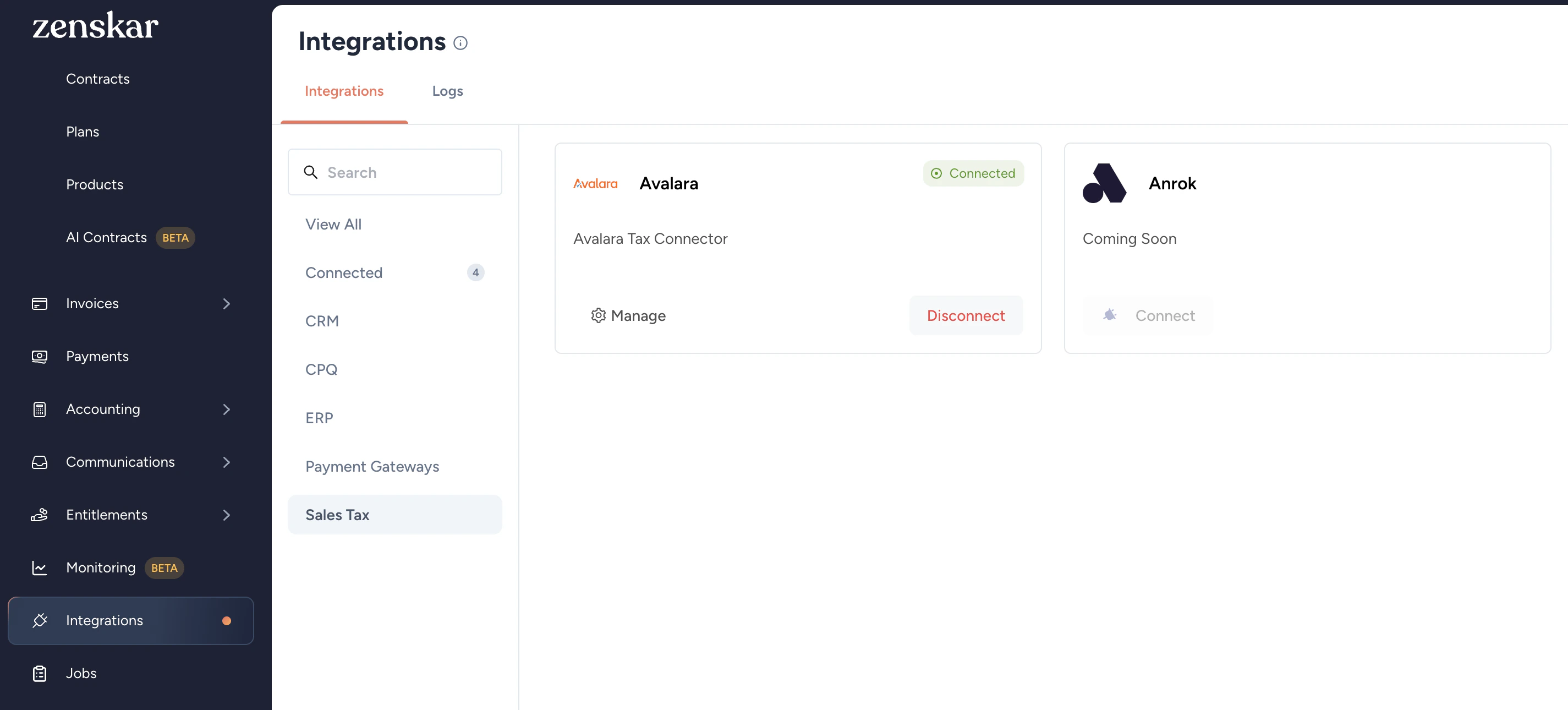
After installing the AvaTax integration you need to configure the integration- Go to Integrations > Sales Tax > Avalara Tax Connector
- Click the Connect button on the Avalara Tax Connector card.
-
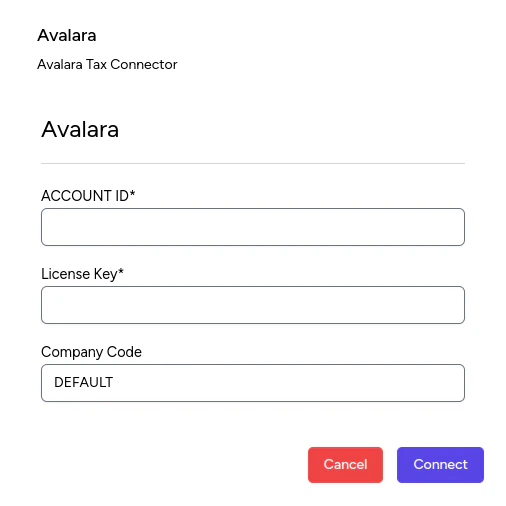
Enter your Avalara AvaTax credentials:
- Account ID: provided to you during the AvaTax account activation process.
- License key: provided to you during the AvaTax account activation process
- Company code: company profile identifier in the AvaTax Admin Console.
- Click the Connect button.
⚙️ Configure Avalara AvaTax
Once connected, you see additional settings:- Disconnect: Turn off the AvaTax calculation service by clicking the Disconnect button.
- Manage: Configure various aspects of the synchronization.
✍️ Assign an AvaTax System Tax Code to an item
-
Go to Contracts > Plans:
- For editing an existing plan, select the plan from the list
- For creating a new plan, click the Add New Plan button
-
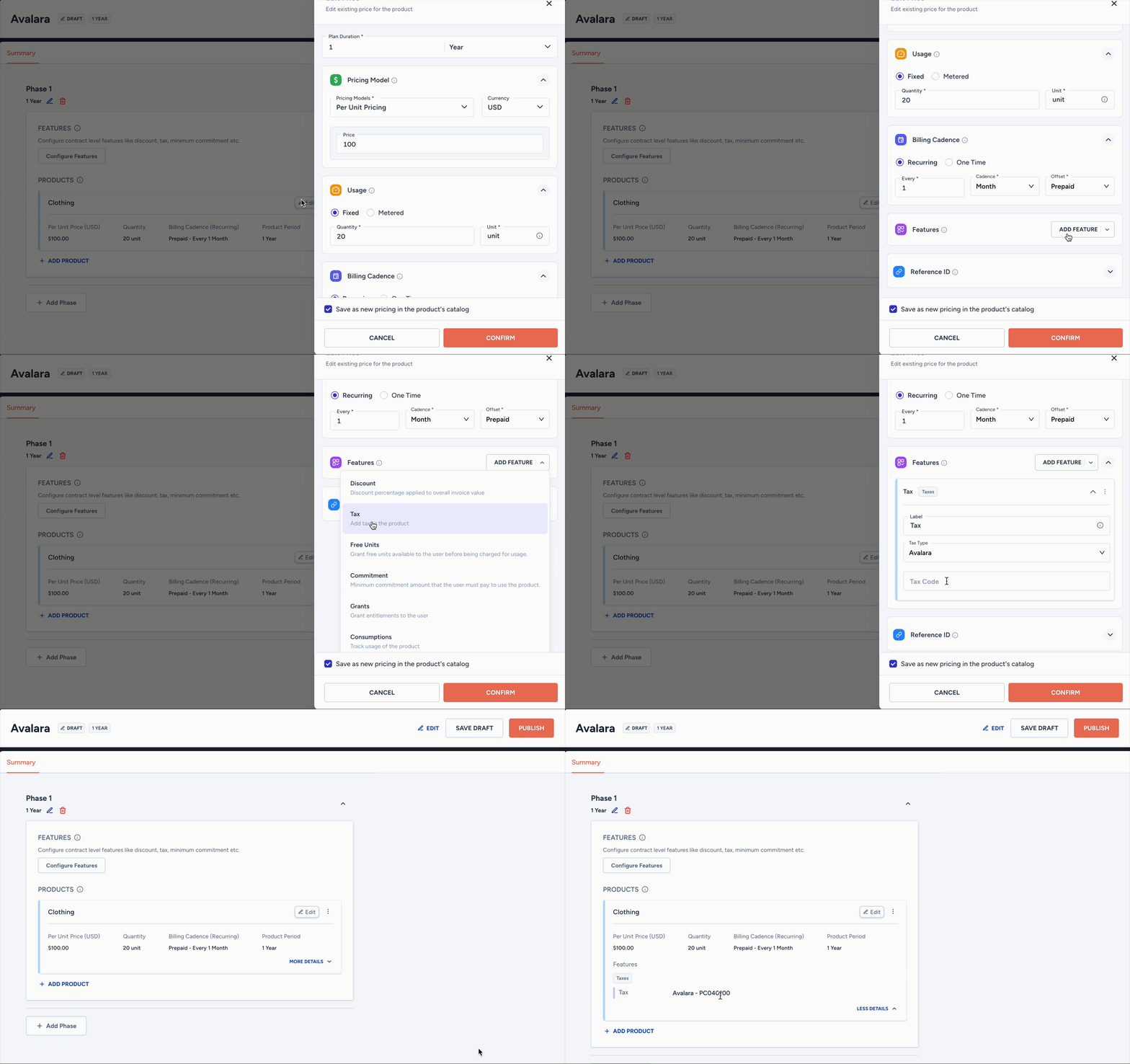
The AvaTax feature can be added in the following two ways:
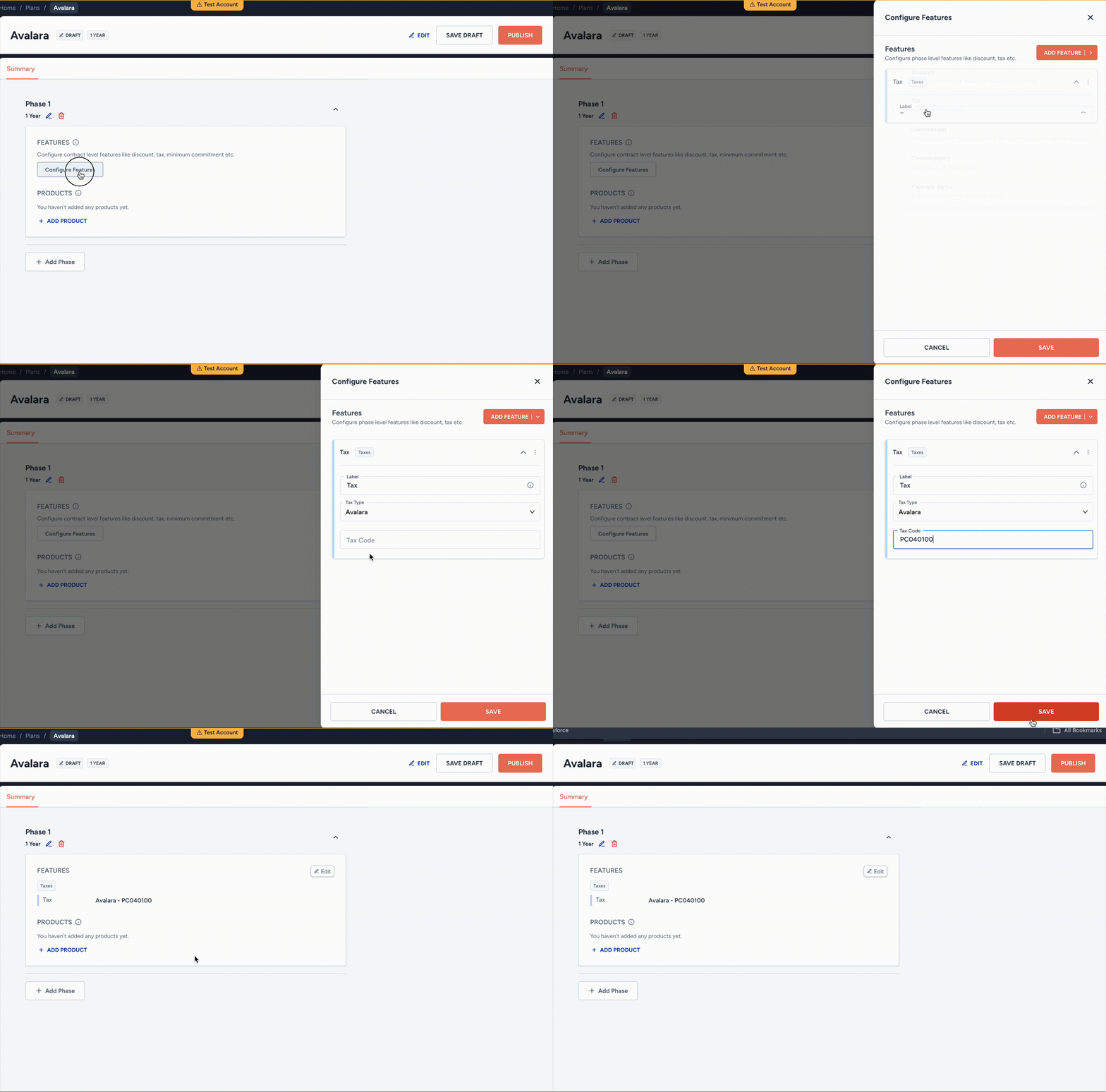
- To a plan: click on the Configure Features. Choose Tax feature from Add Feature in the side pane. Choose Tax Type as Avalara. Enter the Tax Code as required.
- To a product: click on Add Feature button in the Features section of the product. Select Tax and choose Tax Type as Avalara. Enter the Tax Code as required.
Tax versus AvaTax
Avalara AvaTax automates the complete process of sales tax calculations and filing. However, the Tax option in the Add More Features section of a plan or product provides you an alternative for sales tax calculations: enter a tax percentage based on the jurisdiction and product category for calculations. You will have to handle the filing process yourself.- Enter the applicable AvaTax System Tax Code in the Tax Code field.
- Click Save.
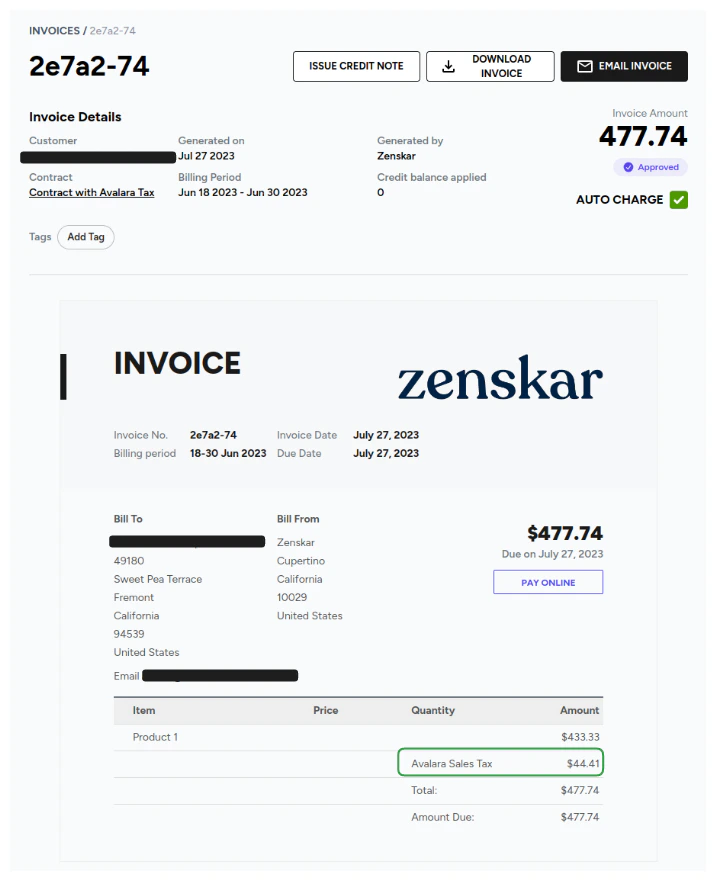
Avalara AvaTax in invoice generated by Zenskar