
In Zenskar, a user is someone who can access the web application by authenticating their credentials. Roles must be assigned to a user. Roles grant users permissions to perform tasks. A role is a collection of permissions. An existing user can be granted the following permissions related to user management:Documentation Index
Fetch the complete documentation index at: https://docs2.zenskar.com/llms.txt
Use this file to discover all available pages before exploring further.
- Can Read User: grants an existing user the permission to view the other users in their organization.
- Can Write User: grants an existing user the permission to create users in their organization.
- Can Delete User: grants an existing user the permission to delete users in their organization.
Adding a new user
- Click on the named drop-up menu displayed on the bottom of the side panel.
- Click on the Users menu item.
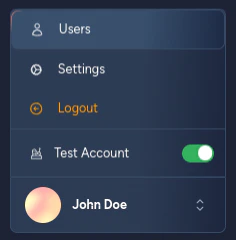
- Click the + ADD NEW USER button

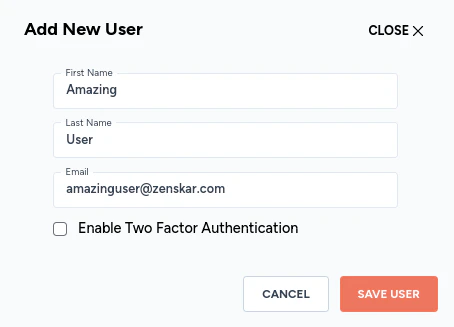
- Add the new user’s details in the modal dialog, and click the SAVE USER button:
- The newly added user will be displayed on the page:

Assigning role and permissions to a user
A user can be assigned only one role. However, a user can be granted more permissions than those associated with the role assigned to them.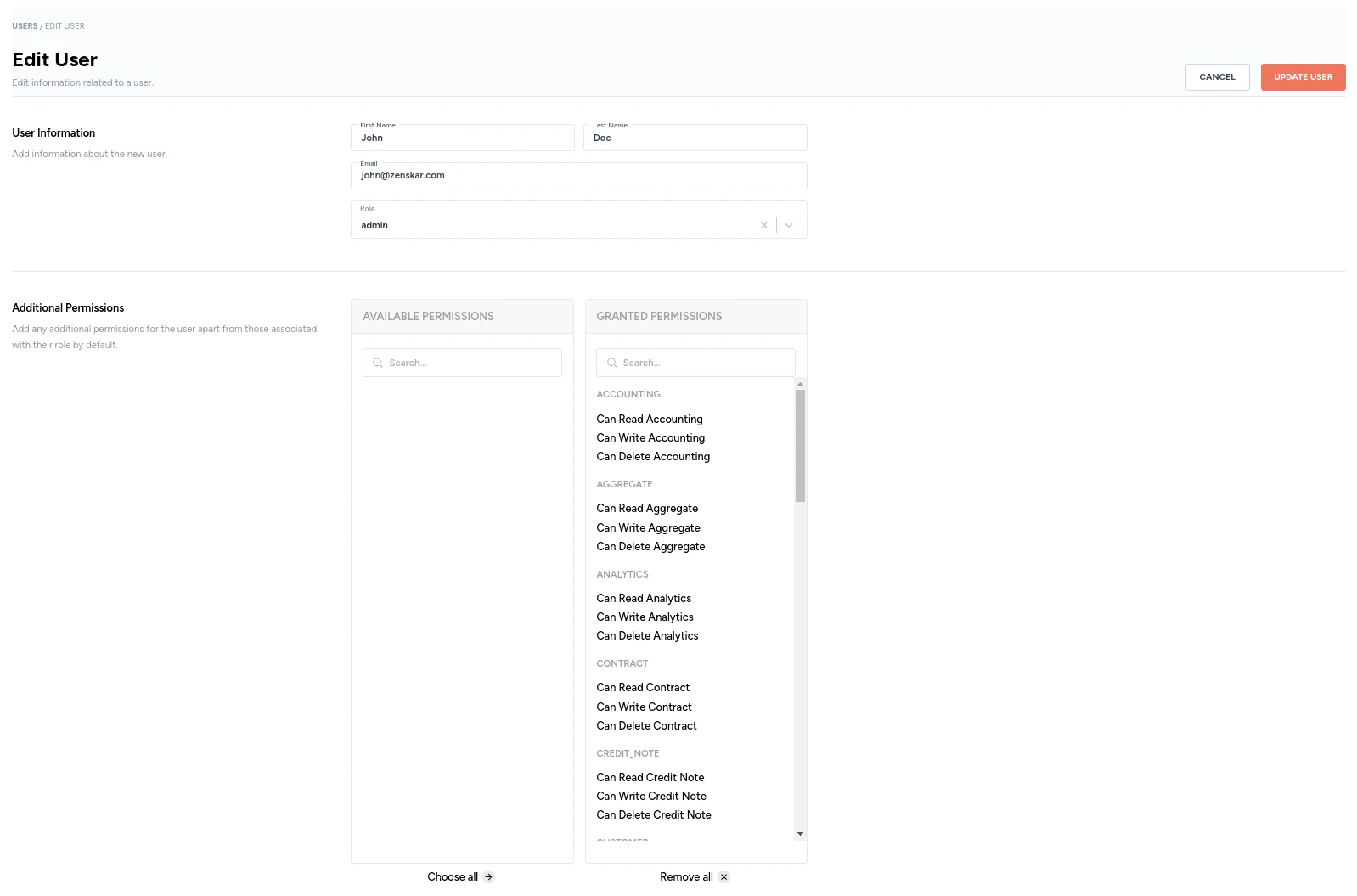
Editing a user
- On the Users page, click on the user you wish to edit.
- Update the details and click on SAVE USER.
How to delete a user?
Each row on the Users page has a kebab menu. Clicking on the kebab menu will display the option to delete a user.