
Configure automated email alerts for segments of customers. This guide will help you configure automated email alerts for a segment of customers. A segment of customers share certain common attributes. For example, you may segment your customers based on the following criteria:Documentation Index
Fetch the complete documentation index at: https://docs2.zenskar.com/llms.txt
Use this file to discover all available pages before exploring further.
- pay by card
- pay using Stripe
- live in a particular geography
- the approaching due date in the event of generation of an invoice
- an overdue payment in the event of passing of the due date
How to create an email alert
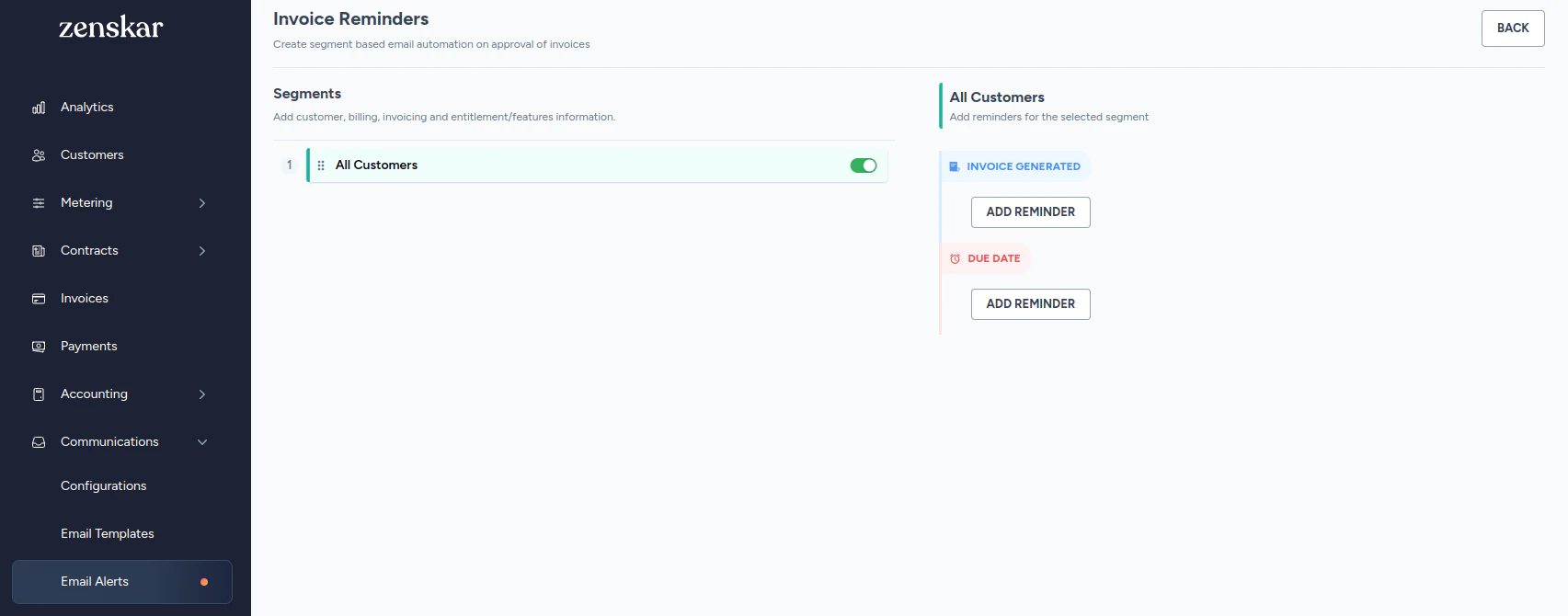
- Navigate to Communication > Email Alerts.
- Click

Before due date: remind customers about the approaching due date
- Click on ADD REMINDER button under the INVOICE GENERATED section.
- Fill in the details in the following form.
- Click SAVE ALERT.
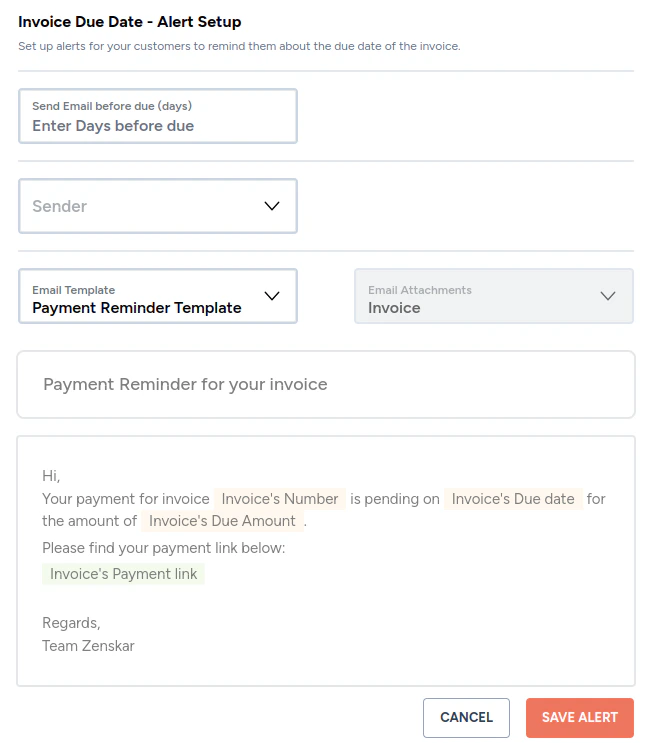
| Field | Value to enter |
|---|---|
| Send email before due (days) | Enter the number of days before the due date when you would like Zenskar to send automated email alerts to your customers to remind them of the approaching due date. |
| Sender | Select the sender on whose behalf you would like Zenskar to send mails to your customers. |
| Email template | The drop-down will list all email templates of the type payment reminder.  |
| Email attachment | Read-only field. Invoice is attached by default. |
| Email subject | Read-only field that displays the subject of the template. |
| Email body | Read-only field that displays the body of the template. |
After due date: alert customer that the invoice payment is overdue
- Click on ADD REMINDER button under the DUE DATE section.
- Fill in the details in the following form.
- Click SAVE ALERT.
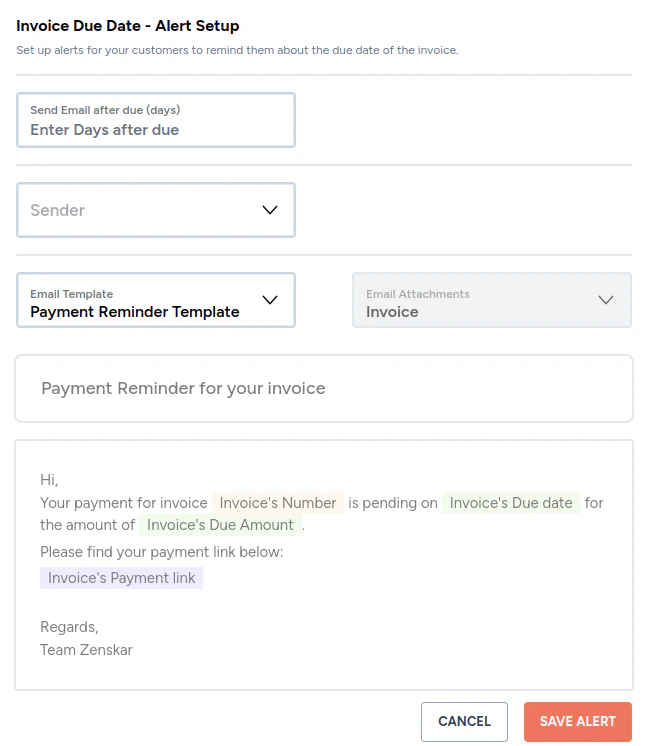
| Field | Value to enter |
|---|---|
| Send email after due (days) | Enter the number of days after the due date when you would like Zenskar to send automated payment overdue reminder email alert to your customers. |
| Sender | Select the sender on whose behalf you would like Zenskar to send mails to your customers. |
| Email template | The drop-down will list all email templates of the type payment reminder. |
| Email attachment | Read-only field. Invoice is attached by default. |
| Email subject | Read-only field that displays the subject of the template. |
| Email body | Read-only field that displays the body of the template. |