
A customer wallet holds credits that can be applied against invoice amounts. The balance accumulates from two sources:Documentation Index
Fetch the complete documentation index at: https://docs2.zenskar.com/llms.txt
Use this file to discover all available pages before exploring further.
- Manual credits issued for promotional purposes or to compensate a customer.
- Credit note balance when a credit note on a paid invoice is not refunded and the amount is instead retained in the wallet.
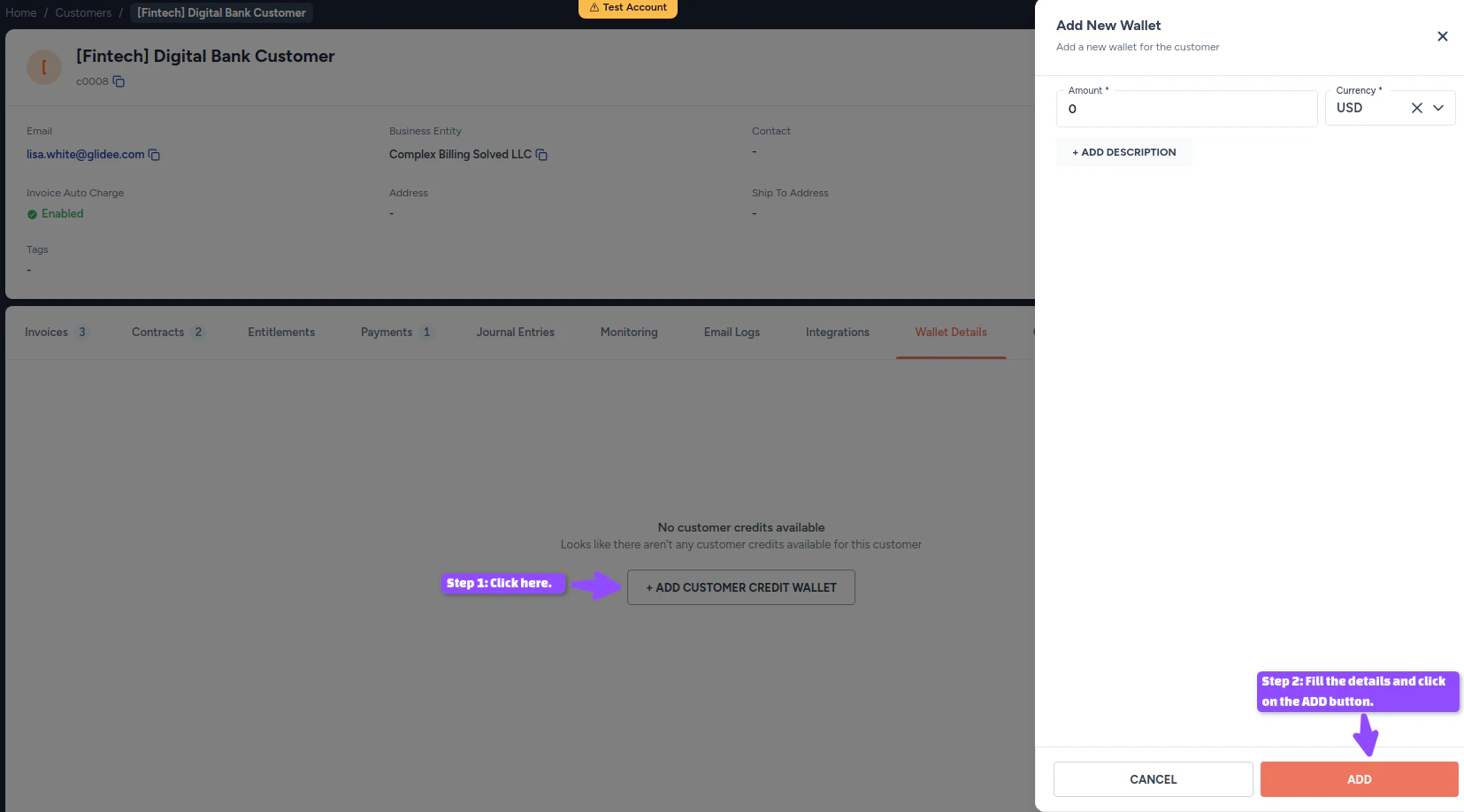
Create a wallet
- Navigate to Customers in the left sidebar.
- Click the row for the customer.
- On the View Customer page, go to the Wallet Details tab.
- Click + ADD CUSTOMER CREDIT WALLET.
- Fill in the wallet details and click ADD.
Adjust wallet balance
- Navigate to Customers in the left sidebar.
- Click the row for the customer.
- On the View Customer page, go to the Wallet Details tab.
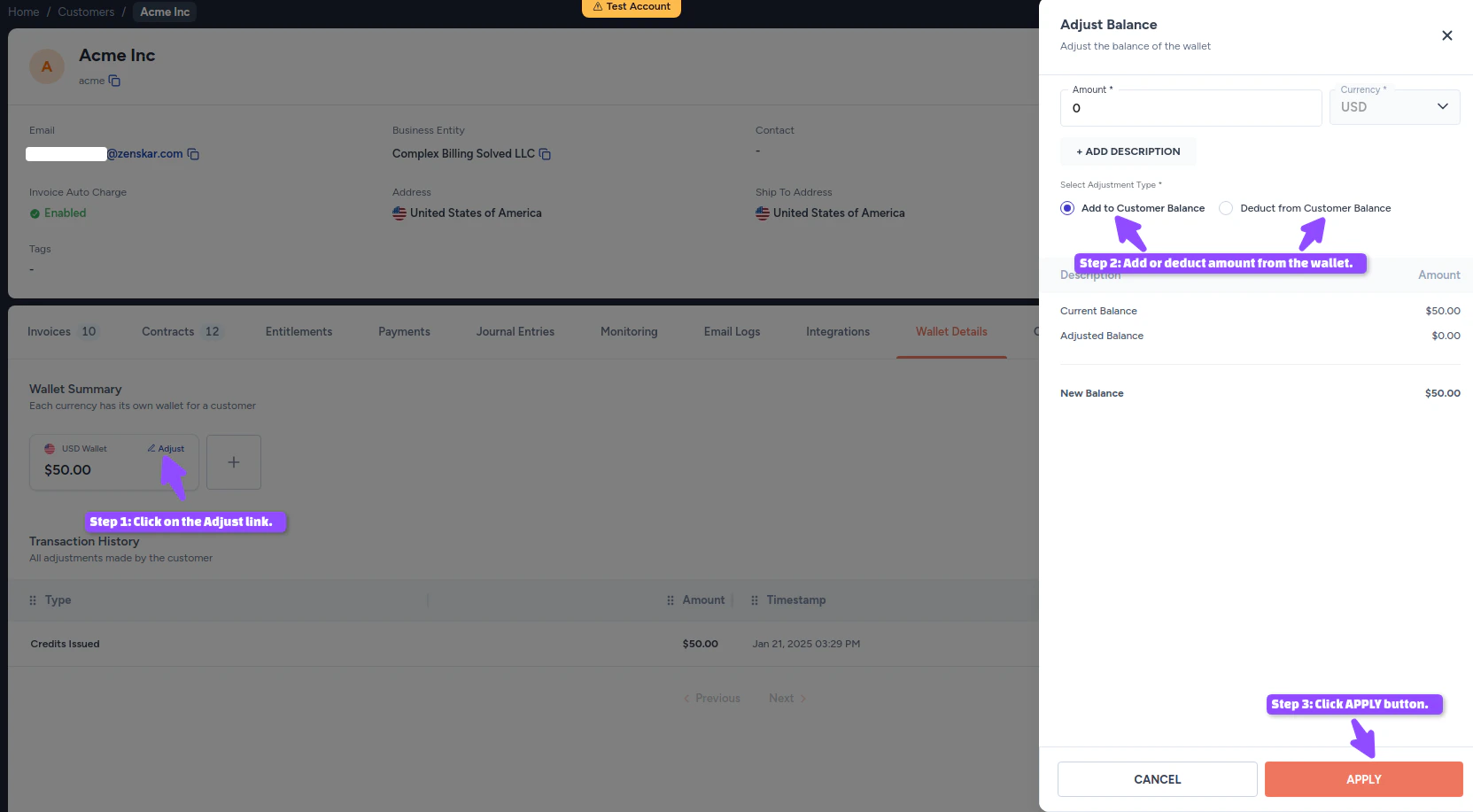
- Click the Adjust link next to the wallet.
- Fill in the Adjust Balance form and click APPLY.
| Option | Description |
|---|---|
| Add to customer balance | Issue more credits, for promotions or compensation. |
| Deduct from customer balance | Remove credits to account for products or services delivered, or to settle an invoice. |